Lifetick vs Griply
Both turn big goals into daily steps. Griply is a full planner with a task manager, habits and calendar sync on many devices. Lifetick is simpler, with SMART goals, a private journal and your core values, and a team plan when you need one.
The short answer
Choose Lifetick if
- You want a private journal beside your goals
- You want goals tied to your core values
- You want a lower price
- You might bring your team along later
Choose Griply if
- You want one app for every task, not only goals
- You want calendar sync
- You use Android, Mac or Windows apps
- You want a long-term roadmap view
Side by side
| Compared | Lifetick | Griply |
|---|---|---|
| Best for | SMART goals with steps, a private journal and core values | Planning your days around goals, tasks and habits |
| Works on | iPhone and any web browser | iPhone, Android, web, Mac and Windows |
| Free plan | Two goals with tasks, plus journal, dreams and reports | Two goals, two habits and unlimited tasks |
| Paid plan | $29 a year | $49.99 a year on Griply’s site |
| Goal set-up | Five SMART questions on every goal | SMART goals with subgoals |
| Tasks | Tasks with dates and reminders on every goal | A full task manager with tags, lists and calendar sync |
| Habits | Trackers for counts, amounts, numbers and yes or no (Premium) | Habits with flexible schedules, linked to goals |
| Private journal | Yes, with prompts | Not listed |
| The big picture | Dreams and core values, with effort by value in reports | Life areas and a vision board |
| For teams | Team plan with check-ins and one-on-ones | Not listed |
Checked 1 November 2026 from griply.app, its help centre and the App Store. Prices are in US dollars and can change, so check each app before you buy. A tick marks the stronger option for that row, in our view.
Goals that come with steps
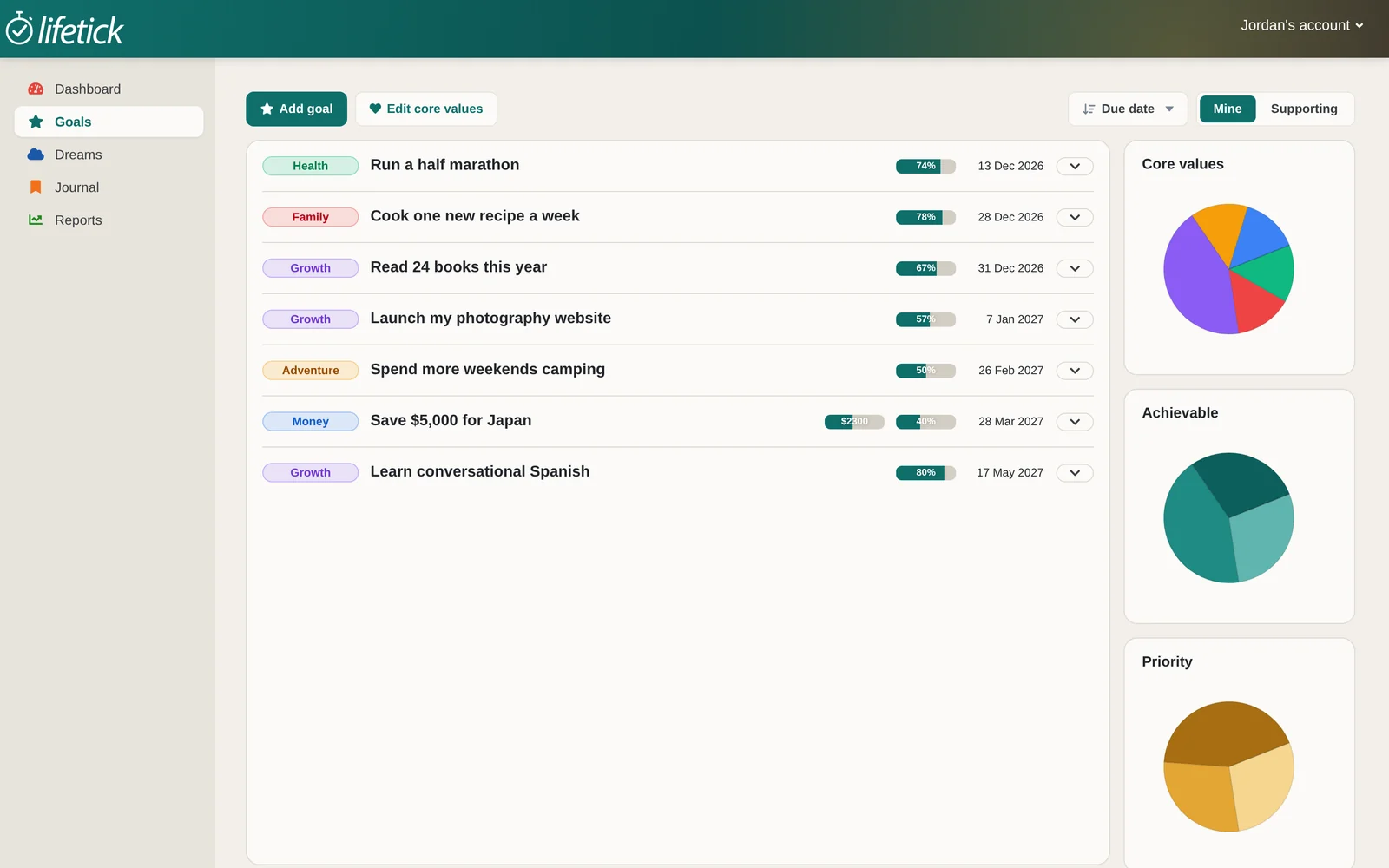
Every Lifetick goal asks five SMART questions, then breaks into tasks with dates and reminders, so today always has a next step.
- Progress on every goal
- Sub tasks and money goals
- Each goal linked to a core value
A journal beside your goals
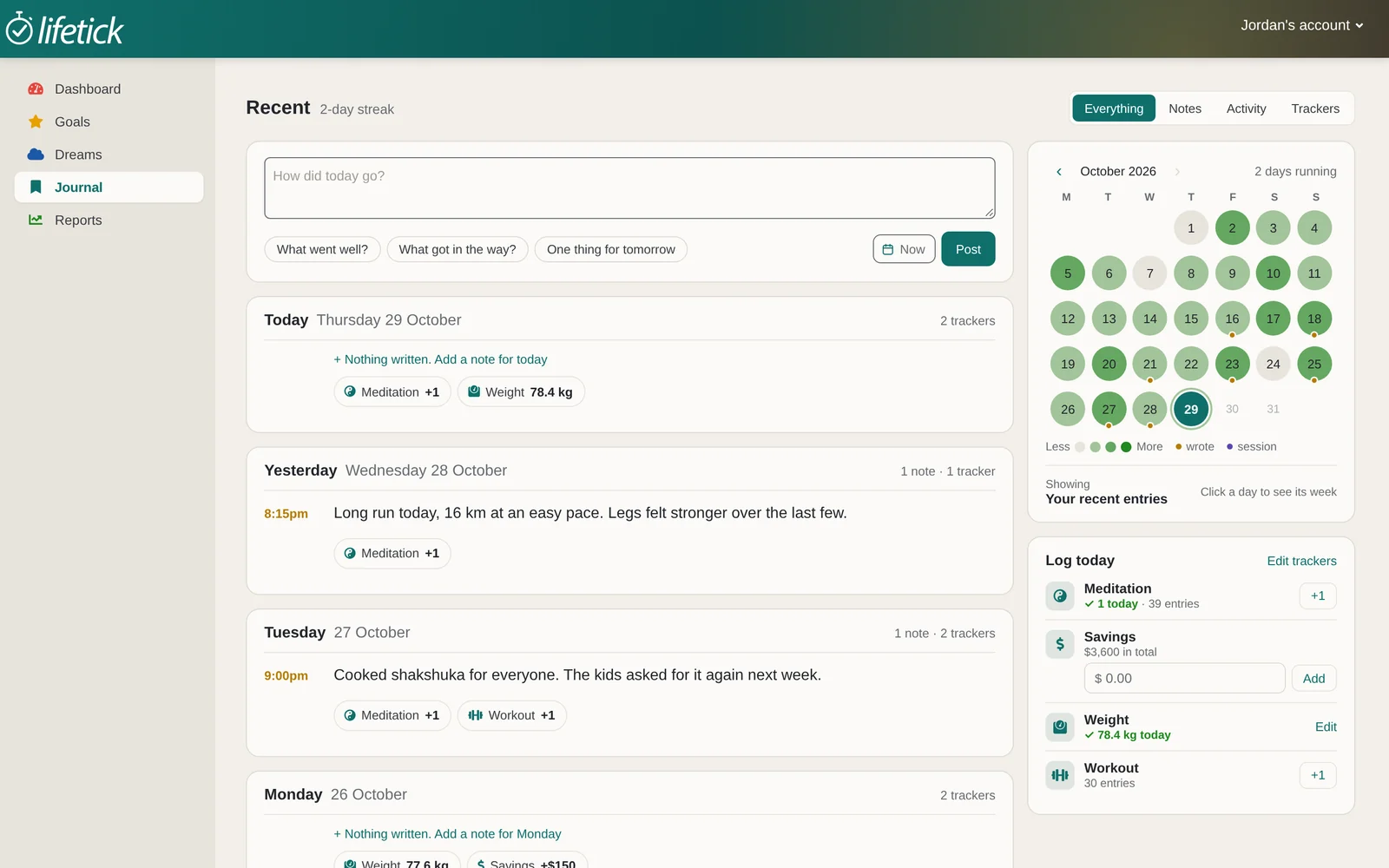
Write down what went well and what got in the way. Finished tasks land in the journal on their own.
- Prompts for the days you are stuck
- Private unless you share a goal
Where Griply is stronger
Griply runs on more devices, syncs with Google Calendar and Outlook, and doubles as an everyday task manager. Its Premium plan adds a roadmap view for planning months ahead. If you want one planner for everything you do, Griply covers more ground.
Lifetick vs Griply questions
Yes, if you want goals with a private journal and core values, at a lower price. If you want a full daily planner with calendar sync, Griply does more.
Lifetick Premium is $29 a year. Griply’s site listed Premium at $49.99 a year when we checked on 1 November 2026. App Store prices can differ by country.
Not as an app yet. You can use Lifetick in the browser on any phone or computer, and the iPhone app syncs with it.
There is no automatic import. Most people re-add their active goals, which takes a few minutes with the SMART questions.