Change a journal entry's date
Write a note for an earlier day, or move an entry you've already posted to the right date and time.
Forgot to write yesterday? You can date a new note in the past, or move an entry you've already posted. Entries can't be dated in the future.
Write a note for an earlier day
- Write your note. In Journal, type in How did today go?
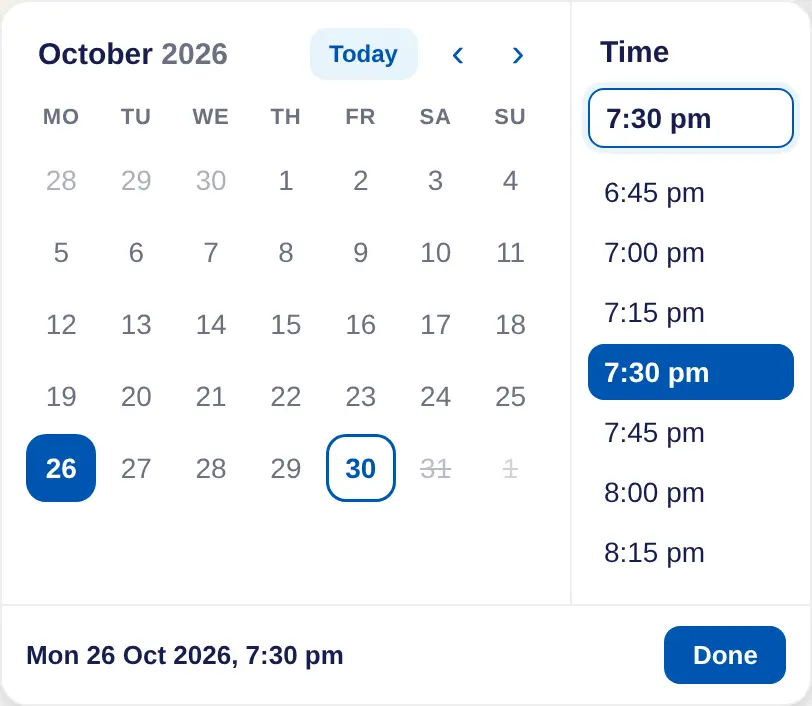
- Choose the date. Choose Now, pick the day in the calendar, then choose a time from the list or type one.
- Done. Choose Done. The button now shows the date you picked. Choose × to go back to now.
- Post it. Choose Post. The note goes under the day you chose.
Move an entry you've posted
- Edit the entry. Point at the entry and choose Edit.
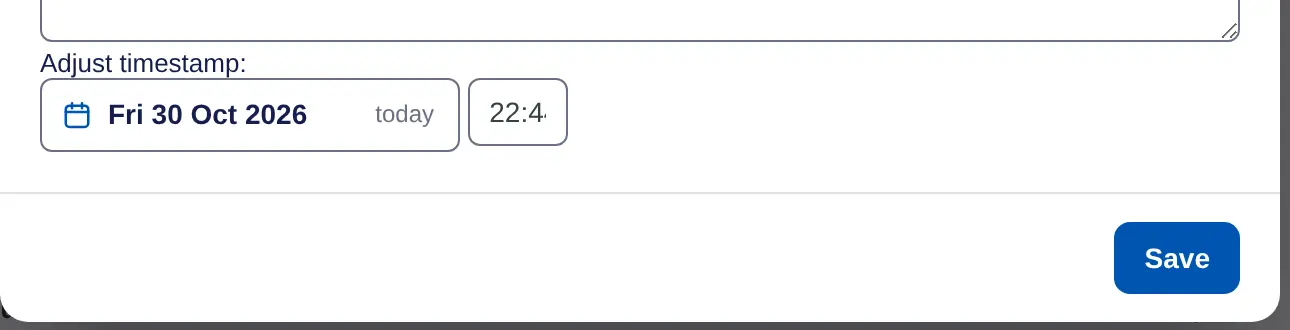
- Show the date. Choose Adjust date. Adjust timestamp: appears with the entry's date and time.
- Change it. Pick the new date, and type the time in 24-hour form, such as 19:30.
- Save. Choose Save.
Tracker values have the same Adjust date option when you edit them.
On iPhone, swipe a note left or long press it, tap Edit, and change When. To write for an earlier day, pick the day in the journal first, then tap Write a note.
