Turn a dream into a goal, and back
When you're ready, convert a dream into a goal and plan it. If a goal has to wait, turn it back into a dream and keep its tasks.
Dreams and goals move both ways. A dream becomes a goal when you're ready to plan it, and a goal can go back to being a dream when now isn't the time.
Turn a dream into a goal
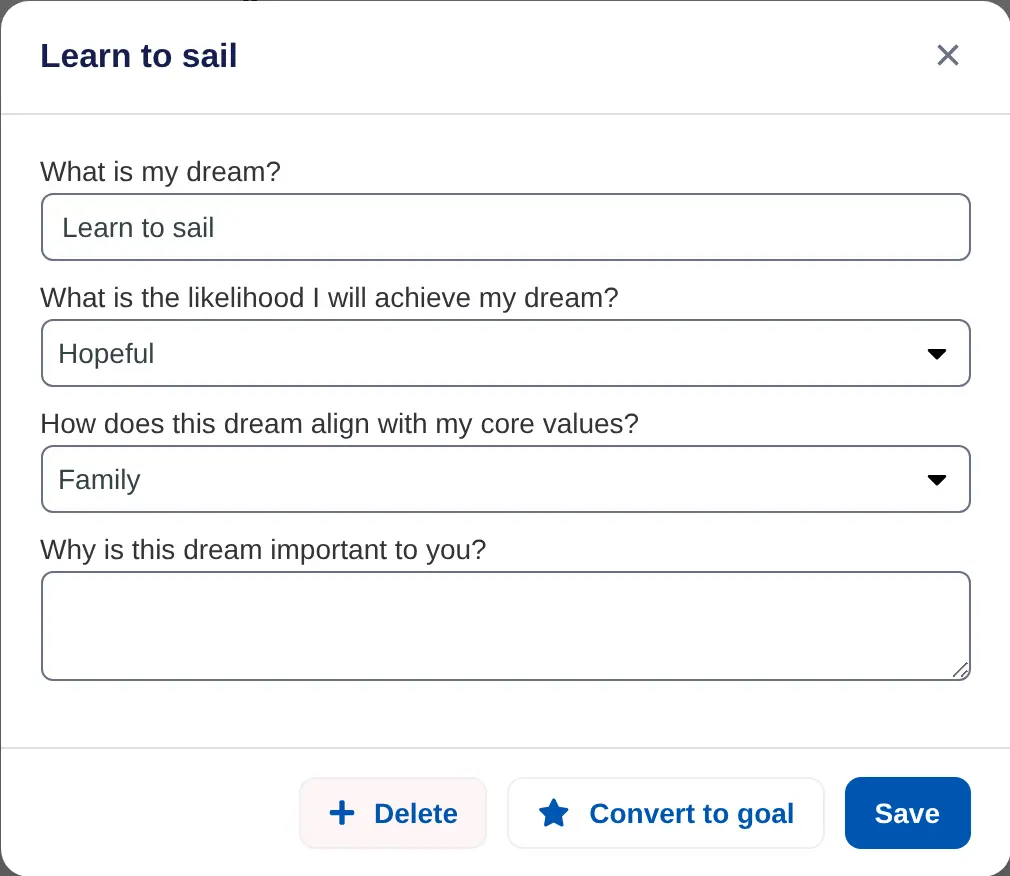
- Open the dream. Go to Dreams and choose the dream.
- Convert it. Choose Convert to goal, then Convert.
- Fill in the goal. The goal form opens. Add how you'll measure it and a time frame, then save.
The new goal counts toward your goals. On the Free plan you can have two at a time, so finish or set one aside first if you're at the limit.
Turn a goal back into a dream
- Open the goal. Go to Goals and choose the goal.
- Convert it. Choose More, then Convert to dream, and confirm.
The goal moves to Dreams. Its tasks are kept, and they come back if you make it a goal again.
You can't convert a shared goal or a completed goal into a dream.
On iPhone, open the dream and tap Convert to goal, then give the goal a due date. To go the other way, tap ••• on the goal, then Convert to dream.
