Create a dream
Keep the big things you'd love to do one day as dreams, with how likely they feel and why they matter, until you're ready to make them goals.
A dream is something you'd love to do one day but aren't ready to plan yet. Writing it down keeps it in sight. When the time is right, turn it into a goal.
Add a dream
- Open Dreams. Choose Dreams in the menu.
- Choose Add dream.
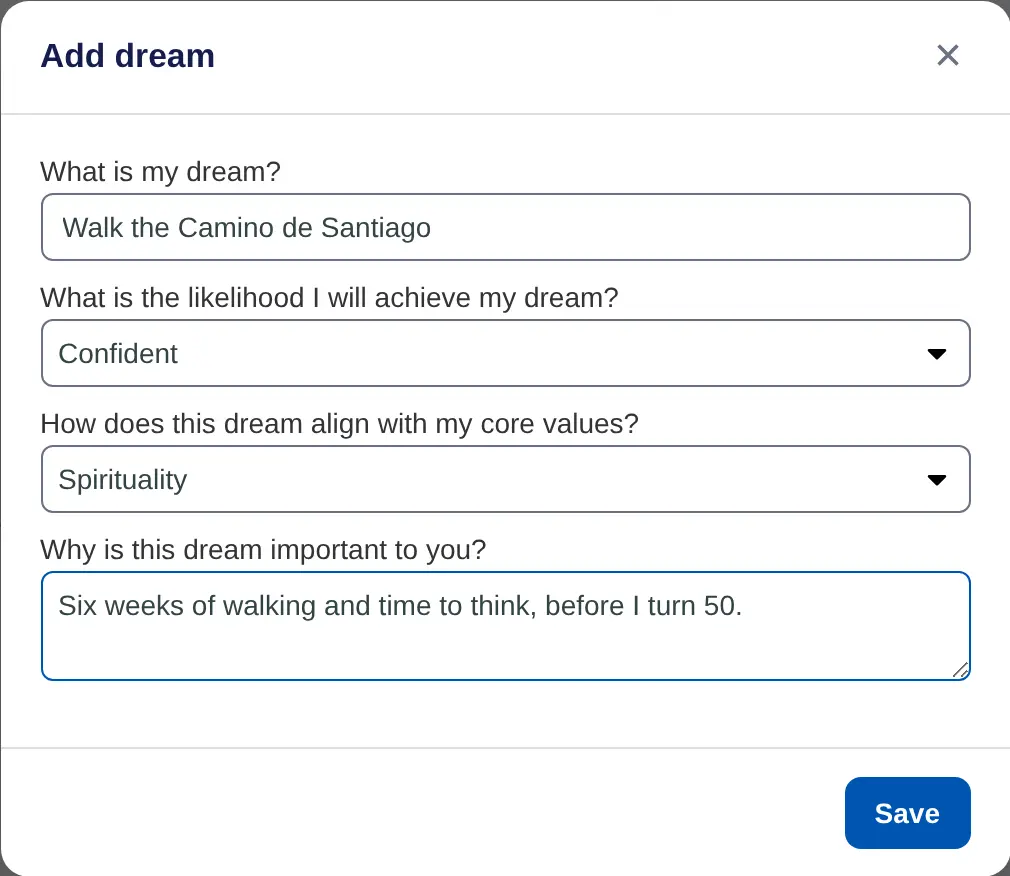
- Name your dream. Under What is my dream?, write it in your own words, such as "Walk the Camino de Santiago".
- Say how likely it feels. Under What is the likelihood I will achieve my dream?, choose Hopeful, Confident or Absolutely.
- Link a core value. Under How does this dream align with my core values?, pick the value it serves.
- Say why it matters. Fill in Why is this dream important to you?.
- Save. Choose Save.
Look through your dreams
Your dreams are listed with their core value and likelihood. Sort them by Name, Group by likelihood or Group by core value, or use the charts to filter the list.

To change a dream, choose it, make your changes and choose Save. Delete removes it.
Dreams don't count toward the two-goal limit on the Free plan, so you can keep as many as you like.
On iPhone, open Dreams and tap + Dream. The iPhone app also has Remind me, which emails you on a date you pick to revisit the dream.
