Keep notes and follow-ups
Run a one-on-one in Lifetick: tick the agenda as you go, take notes, agree actions and share them with your team member when you finish.
Each one-on-one has three steps: Prepare, In the meeting and Wrap up. You move between them with the buttons at the bottom or the steps at the top. Nothing is shared with your team member until you finish.
In the meeting
- Start it. Open the one-on-one and choose Start the one-on-one. From half an hour before the start time, it opens at In the meeting by itself.
- Confirm last time's actions. Under Actions from your last one-on-one, choose Done or Not done for each. A ticked it line shows when someone has already ticked one off. See Carry actions to the next one.
- Tick the agenda. Tick each item as you cover it. Add new ones as they come up.
- Take notes. Write what you talked about under Notes. Only you see them until you finish.
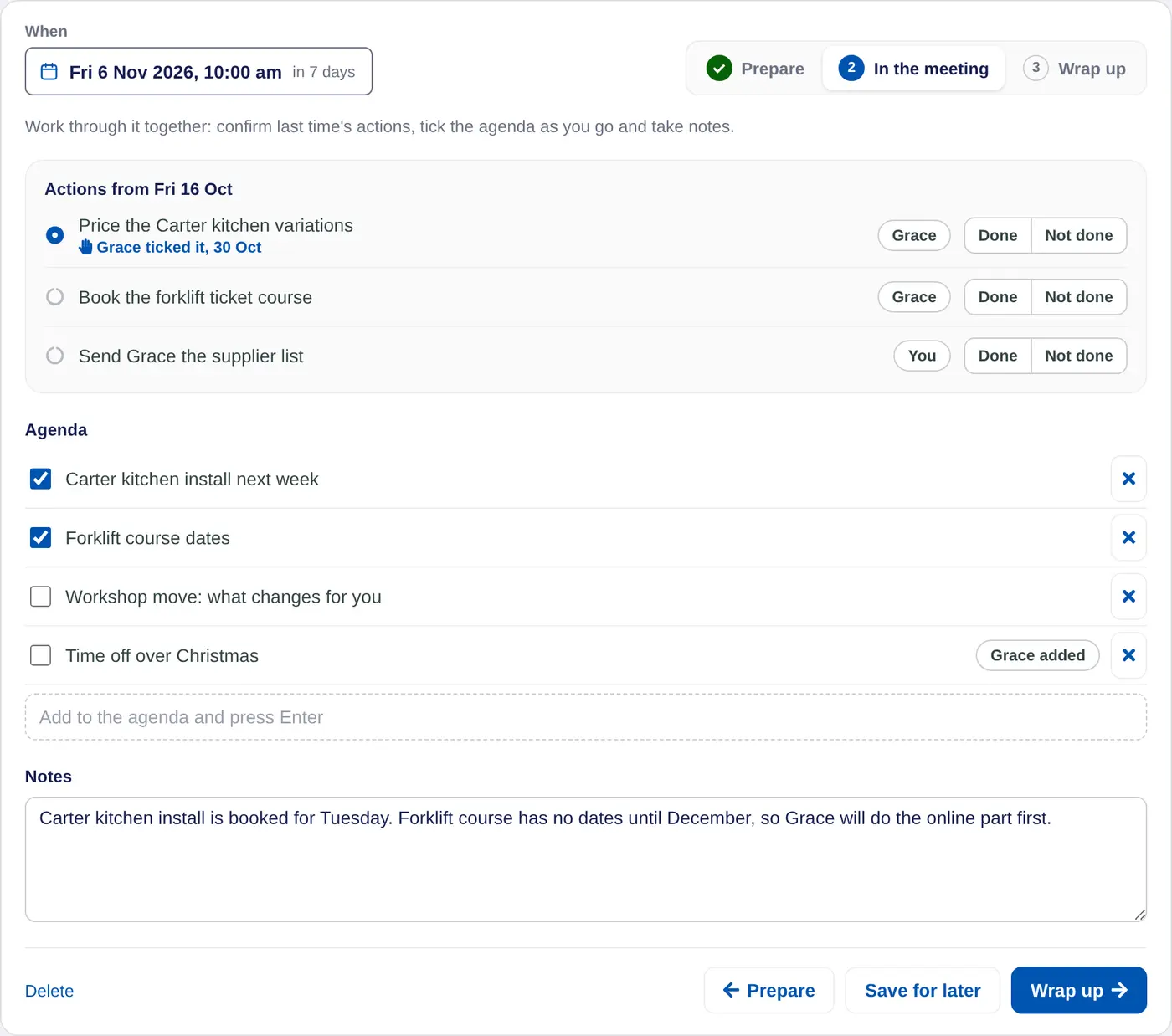
Choose Save for later at any time to keep your work and come back to it.
Wrap up
- Choose Wrap up.
- Agree the actions. Type each one under Actions and press Enter. Choose who owns it: the person or You.
- Book the next one. Set the date and time under Next one-on-one.
- Finish. Choose Finish and share with the person, for example Finish and share with Grace.
What your team member sees
Once you finish, the agenda, your notes and the actions show on their My Manager page. They can tick their own actions off as they do them, and you'll see that next time. On iPhone the one-on-one shows in their journal with What we agreed, where they tick actions too.
Saved one-on-ones sit under Done on the person's One-on-ones tab. The latest also shows on their Overview tab, with how many actions are done. To fix a saved one, open it and choose Edit.
Keep notes something you'd be happy for the person to read. Write anything private somewhere else.
In a coaching account the coach shares notes with the client after each session. In a school account the teacher shares them with the student after each mentoring meeting.
