Read the Today page
Today is a manager's home page. It shows four headline numbers, what's waiting on you, who needs attention and why, and recent wins.
Today is a manager's home page on the web. It sums up your team members in one place, so you know who to talk to first. It's worked out fresh each time you open it, from the goals your team members share with you. Private goals never count.
Choose whose team
Managers see their own team members. Admins and super managers also get a switch at the top: My team members or Everyone in the organisation. Today remembers the one you used last.
The four numbers

- Active team members, 30 days. How many have done something in Lifetick in the last 30 days, out of everyone on your team.
- Tasks done on time, 30 days. Tasks due in the last 30 days that were ticked off by their due date. The small figure beside it is the change from the 30 days before.
- Check-ins answered this week. Answers so far, out of the check-ins sent this week.
- Goals completed this month. With the change from last month beside it.
Waiting on you
New check-in answers and unread messages wait here, newest first. Open one to read it, then reply, choose Done or Mark read. The number beside Today in the menu counts them. See Read and reply to answers.
Needs attention
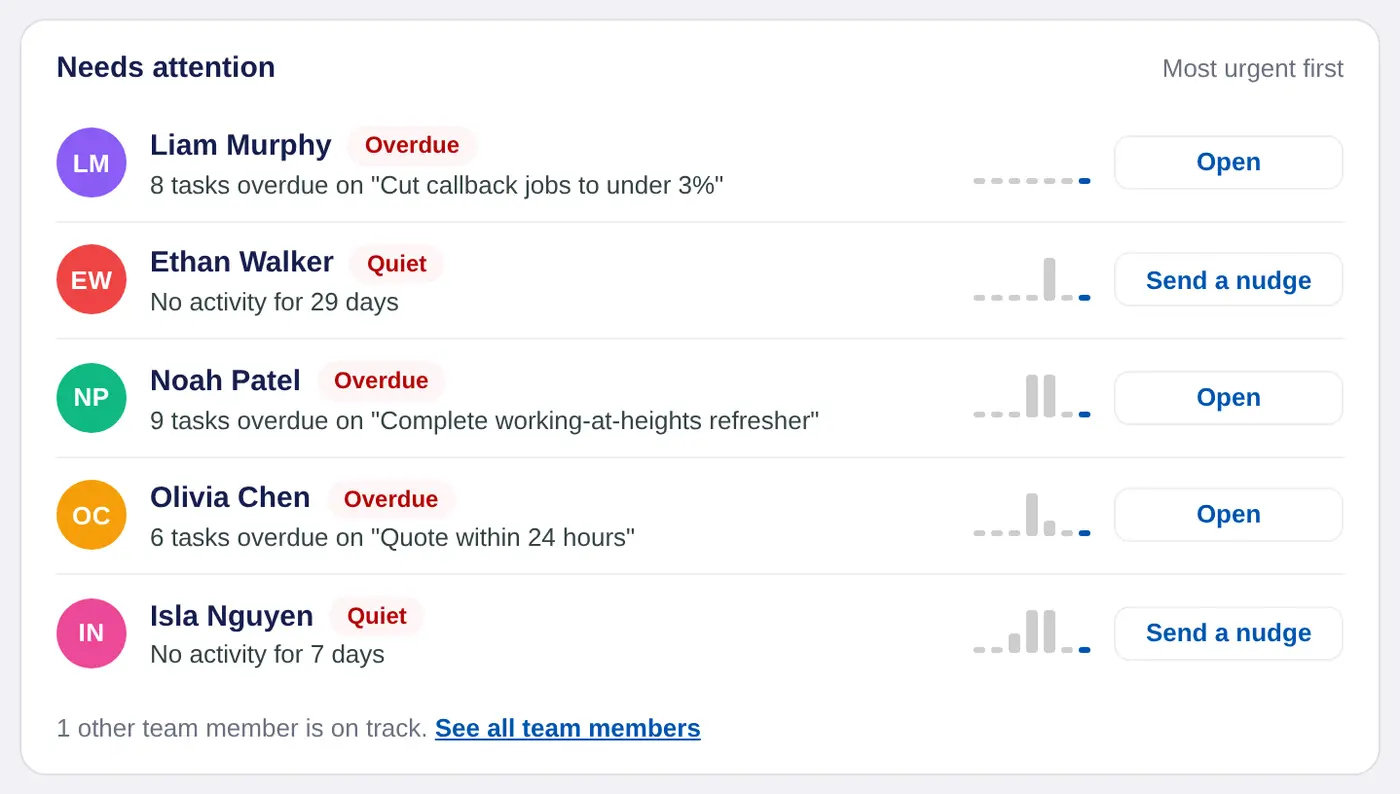
This card lists who most needs you, most urgent first. Each person has a tag, a reason and a button:
- Quiet. No activity for a week or more, or they haven't signed in since joining. Choose Send a nudge to send a short message.
- Overdue. Overdue tasks on a shared goal, such as "8 tasks overdue on Cut callback jobs".
- Mood ↓. Their check-in mood was 2 or less out of 5, or fell. Choose Message.
- At risk. A goal due in the next 14 days is behind the pace its dates set.
The small bars show tasks done each week for the last 7 weeks. Choose a name to open that person. See all team members opens the full list.
The side cards
- Coming up. One-on-ones booked in the next 7 days. Prepare opens the notes.
- Recent wins. Goals completed in the last 7 days, and anyone who finished every task due that week. Choose a win to send a quick well done.
- Scheduled check-ins. Your check-ins, when they go out and how many people have answered.
In a coaching account the page says clients and sessions. In a school it says students, reflections and mentoring meetings.
