Roles: owner, manager, member
Every person in a team account is a team member, a manager or a super manager, and some are admins too. Here's what each can see and do.
Each person in your organisation has one role, which decides whose goals they can see. On top of that, some people are admins, who run the organisation's settings. Everyone, whatever their role, has their own goals under My Lifetick.
The roles
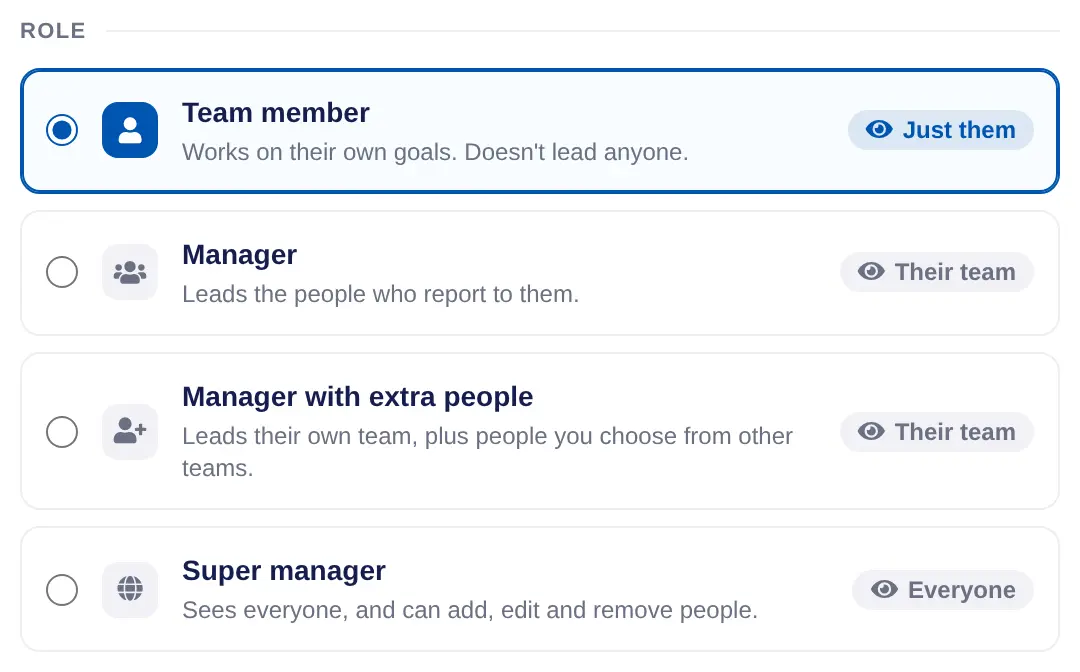
- Team member. Works on their own goals. Doesn't lead anyone. They report to a manager.
- Manager. Leads the people who report to them. They see their team's shared goals and journal, read their check-in answers, run one-on-ones, and get Today and Reports for their team. They can invite and add people to their own team and make groups.
- Manager with extra people. Leads their own team, plus people you choose from other teams.
- Super manager. Sees everyone, and can add, edit and remove people. Today and Reports get an Everyone choice.
Nobody sees what a person marks Private.
Admins
The owner is the person who signed up the organisation. Lifetick makes them an admin, shown as System Admin on People and invites, and a super manager. Admins see a part of the menu under your organisation's name with People and invites, Check-ins, Branding and words, Core values, Billing and Data export.
You can make any manager an admin too. They can change settings, branding and billing, and manage everyone.
Change someone's role
- Open People and invites. Choose it in the menu, then the person's name.
- Set who they report to. Under Reports to, choose their manager. Someone who reports to no one leads a team of their own, so they can't be a team member.
- Choose the role. Under Role, choose one. For Manager with extra people, choose Add people to pick who else they can see.
- Make them an admin. Optional. Under Admin, tick Make them an admin. It shows for managers only.
- Save. Choose Save.

Who can change roles
- Only admins can give someone Manager with extra people, Super manager or admin.
- Super managers can make people team members or managers.
- A manager with people reporting to them stays a manager. Move their team to someone else first.
- You can't take admin away from yourself.
In a coaching account the roles are client, coach and super coach. In a school they're student, teacher and super teacher. See Change the words your team uses.
