I can't sign in
What each sign in message means and what to do: a wrong password, too many tries, an account that uses Google, Microsoft or Apple, or your organisation's own sign in.
Start with the message on the sign in page. Each one points to a different fix.
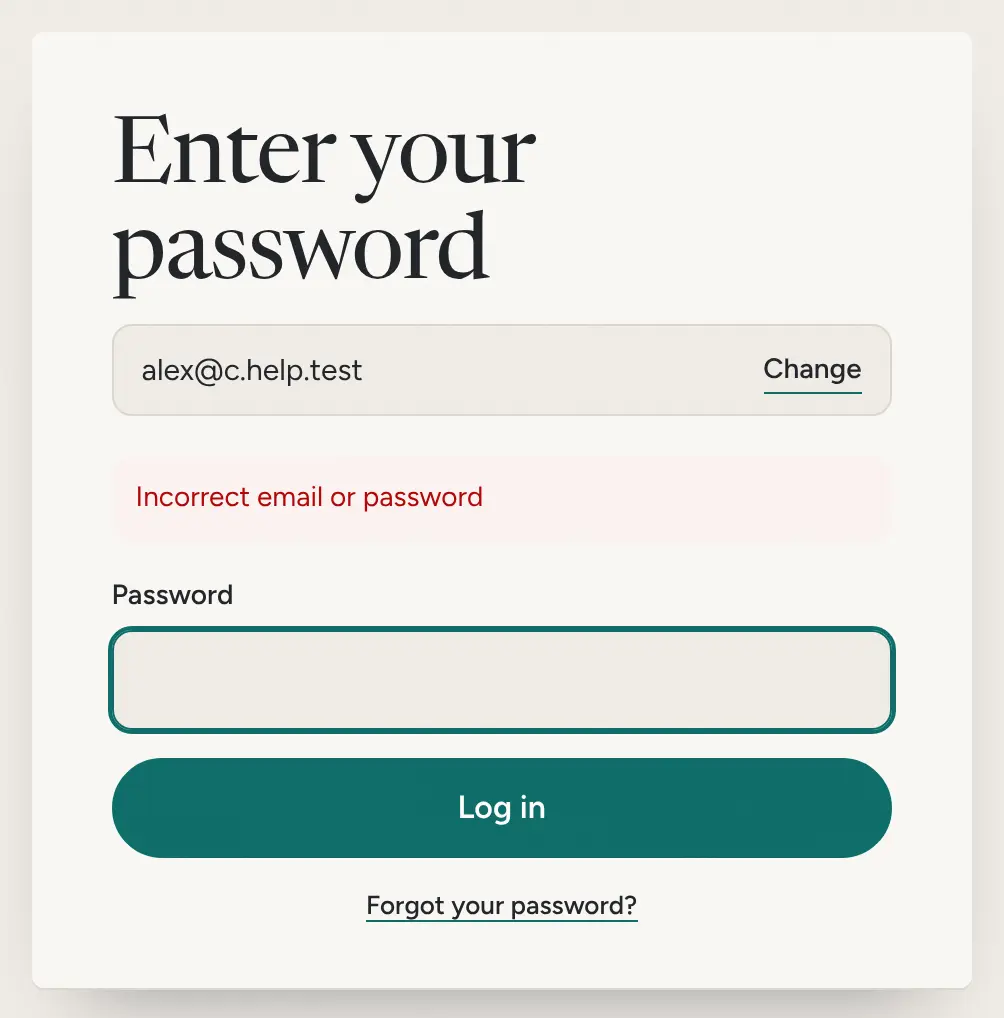
Incorrect email or password
Lifetick shows this for a wrong password and for an email it doesn't know, so first check the email. Choose Change next to it to fix a typo.
If the email is right, choose Forgot your password? and set a new one from the emailed link. The link works for one hour.
Too many sign-in attempts
After 10 tries for one email within 15 minutes, Lifetick stops accepting more for a while. Wait a few minutes, then try again or reset your password.
You used Google, Microsoft or Apple before
An account made with Continue with Google, Continue with Microsoft or Continue with Apple has no Lifetick password, and a reset link won't be sent for it. Sign in with the same button you used the first time. When you type that email on the sign in page, Lifetick sends you to the right one.
If you see "The email address you attempted to log in with didn't match the account you authenticated with.", you're signed in to a different Google, Microsoft or Apple account. Sign out of it there, or switch to the right one, and try again.
Your organisation uses its own sign in
Some organisations sign in through their own system. Enter your work email and choose Continue, and Lifetick sends you there. If you see "Your organisation signs in with its own single sign on.", enter your email instead of using Google, Microsoft or Apple. For problems with that sign in page, ask your IT team.
Your account is inactive
"Sorry, your account has been marked as inactive" means your account has been switched off. On a team account, ask your organisation's Lifetick administrator. On a personal account, contact Lifetick support.
Still stuck
- Check the reset email arrived. Look in spam for mail from [email protected].
- On iPhone, tap I already have an account, then sign in the same way you do on the web.
