A check-in didn't go out
Check that it's on, that it fell due after you set it up, who it goes to and their time zone. You can always send it straight away with Send now.
Lifetick checks for check-ins that are due every 15 minutes. When one falls due for a person, it opens for them and they're emailed. If someone says they didn't get it, work through these checks.
Is it on?
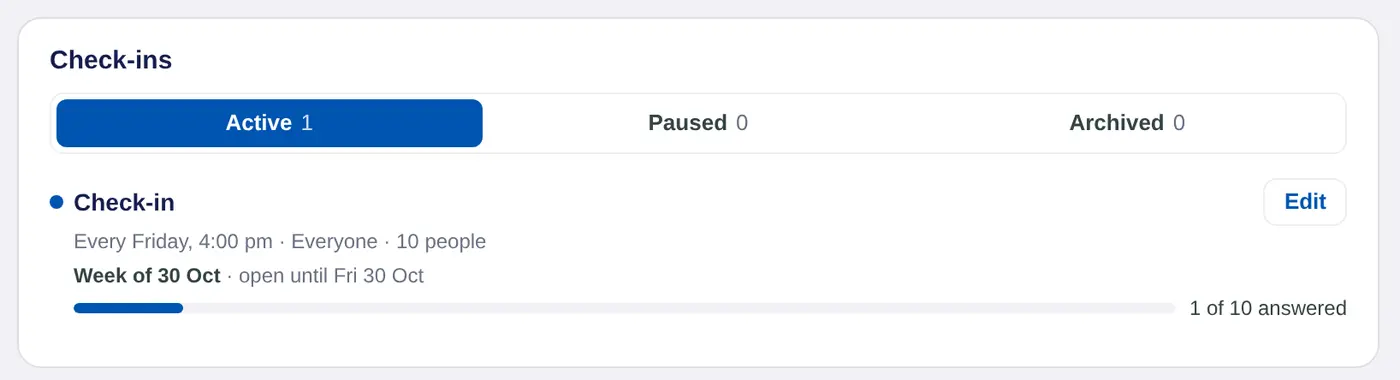
- Look at the tabs. On the Check-ins page, a check-in under Paused or Archived doesn't go out. Open it with Edit and choose Turn on.
- Paused by your admins. If a manager's own check-in shows Paused by your admins, the owner has turned off Managers can add their own. It starts again when the owner turns that back on.
Was it set up after this week's time?
A new check-in goes out at the next time on its schedule. If you set up a Friday 4:00 pm check-in at 5:00 pm on a Friday, the first one goes the following Friday. To send it now, choose Edit, then Send now.
Does it go to that person?
- Owner check-ins go to everyone, or only to the team members of the managers you ticked. Managers get them only when Managers answer these too is on.
- Manager check-ins go to all the manager's team members, or only to people in the groups ticked. Someone who isn't in one of those groups won't get it.
- Deactivated people don't get check-ins.
The line under each check-in shows who it goes to and how many people, such as Everyone · 10 people.
Is it their time yet?
Each person gets a check-in at the set time in their own time zone. Lifetick takes their time zone from their browser when they sign in on the web. A person who has travelled or moved should sign out and sign in again on the web to update it.
Is your subscription active?
Check-ins stop going out if your organisation's subscription has lapsed. Owners can check this on the Billing page.
It opened but the email didn't arrive
- The check-in is waiting on the person's dashboard whether or not the email arrives. They can answer it there or in the iPhone app.
- The email comes from [email protected], with the check-in's name and who it's from in the subject. Ask them to check spam.
- If they haven't answered after a day, Lifetick sends one reminder. Daily check-ins don't get a reminder.
