Choose questions and a schedule
Write up to ten questions, pick a 1 to 5 scale or a short answer for each, and send it daily, weekly, fortnightly, monthly, quarterly or yearly.
Every check-in has its own questions and its own schedule. You set both in the check-in's window on the web, and you can change them at any time.
Open the check-in
- Find it. Managers go to Today and find the Scheduled check-ins card. Owners choose Check-ins in the menu under your organisation's name.
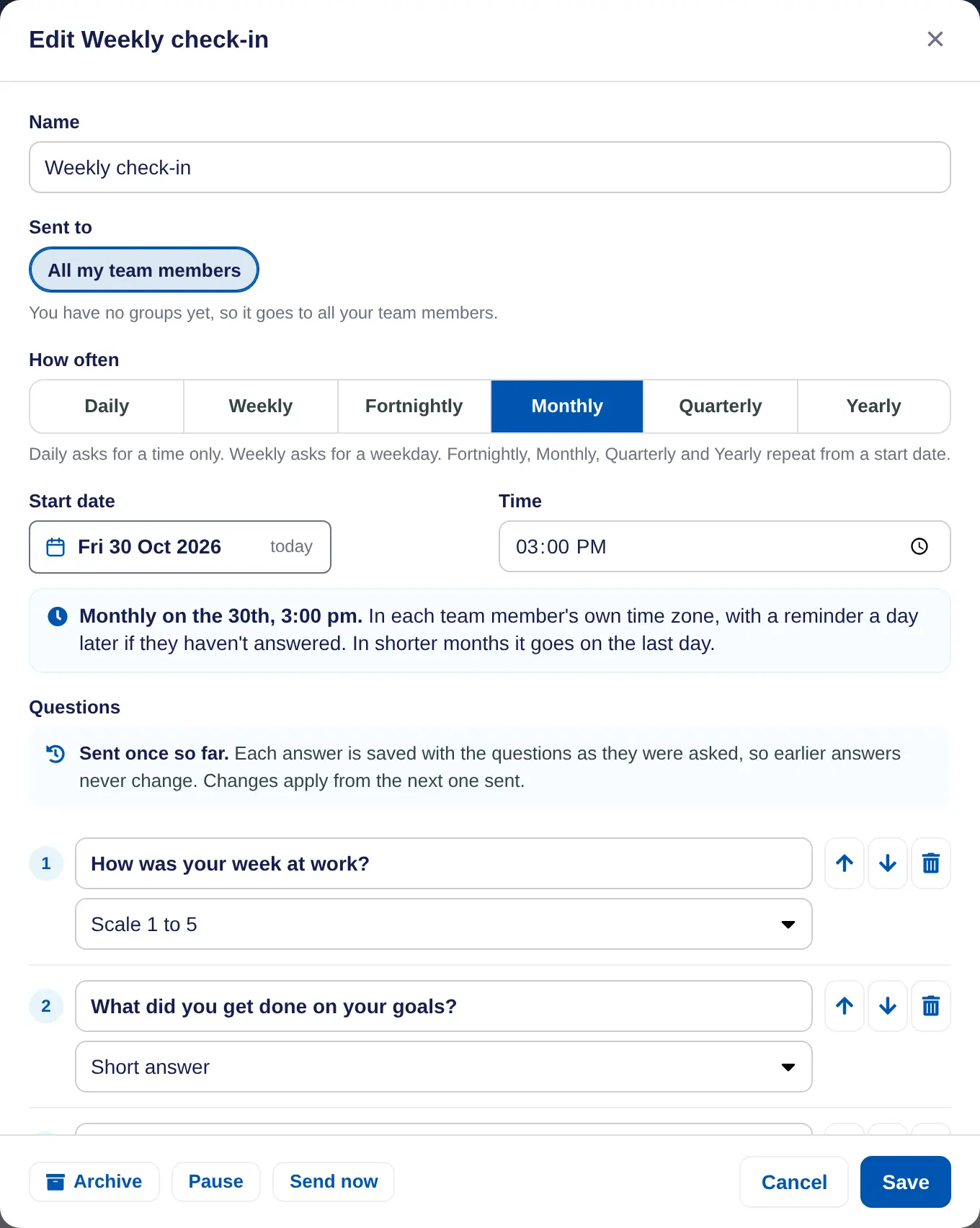
- Choose Edit. The window shows the Name, who it goes to, How often and the Questions. For a new one, choose New and pick a starter or Start from blank.
Set the schedule
- Pick how often. Under How often, choose Daily, Weekly, Fortnightly, Monthly, Quarterly or Yearly.
- Pick the day. Daily only needs a Time. Weekly asks for a Day. The others repeat from a Start date, so a monthly one that starts on the 15th goes out on the 15th of each month. In shorter months a date like the 31st moves to the last day.
- Pick the time. The Time is in each person's own time zone, so 9:00 am is 9:00 am wherever they are.
- Check the summary. The line under it sums it up, such as Monthly on the 15th, 9:00 am.
Write the questions
- Type each question. Keep them short. A check-in can have up to ten.
- Pick the answer type. Scale 1 to 5 gives people five buttons from Hard to Great. Its answers become a mood trend on each person's page and flag low weeks. Short answer gives them a text box.
- Put them in order. Use the arrows to move a question and the bin to remove one. Add question adds another.
- Save. Choose Save. Changes apply from the next one sent.
Changing questions later
- Answers already given keep the questions as they were asked. The window says how many times it has gone out, such as Sent once so far.
- Rewording a 1 to 5 question keeps its trend going. To ask something different, add a new question so it starts its own trend.
- For 90 days, a reworded question shows what it said before, and a new one is marked New.
- People must pick a number for each 1 to 5 question before they can send. Short answers can be left blank.
In a school account, check-ins are called reflections. In a coaching account, they go to clients.
