Tie goals to your core values
Link each goal to a core value such as Health or Family, and rename, recolour or add values to fit your life.
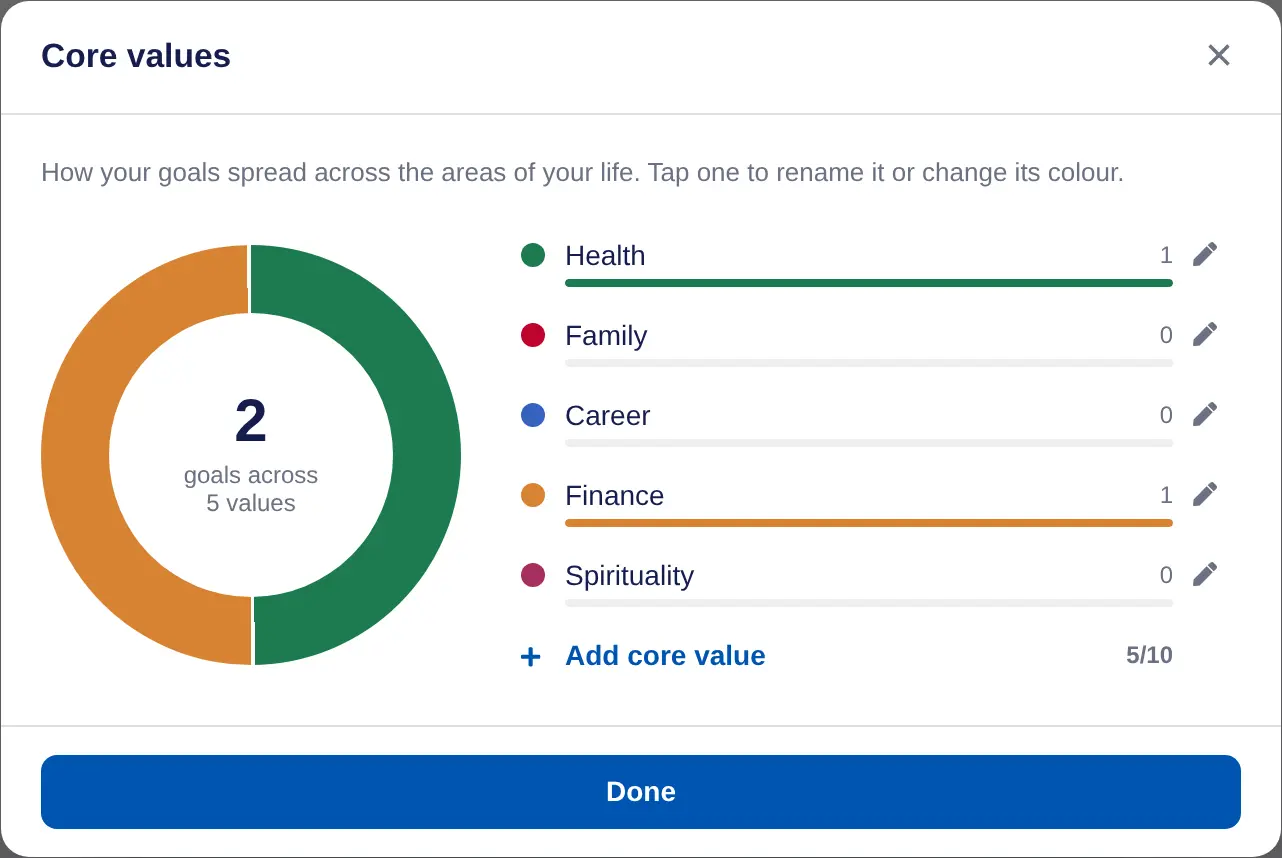
Core values are the areas of your life your goals serve. A new account starts with Health, Family, Career, Finance and Spirituality. Linking goals to them shows where your effort is going.
Link a goal to a core value
- Open the goal form. Choose Add goal, or open a goal and choose Edit.
- Pick a value. Under How is it relevant to your core values?, choose one value. It's optional, and each goal has one.
- Save. Choose Create goal or save your changes.
On the Goals page you can sort by Group by core value, and the Core values chart filters the list.
Change your core values
- Open Core values. On Goals or Dreams, choose Edit core values.
- Rename or recolour. Choose a value, change its name or colour, then Save. Its goals stay linked.
- Add a value. Choose Add core value. You can have up to 10.
- Delete a value. Choose the value, then Delete. Its goals are left without a core value, so you can pick a new one on each.
In a team or school, your organisation may set the core values for everyone. They show as Set by your organisation and can't be changed.
On iPhone, tap Edit values in the goal form to open your core values.
