Move due dates in bulk
Push a goal and all its open tasks later, or bring them forward, in one go instead of changing each date.
Plans change. If you fall behind or get ahead, you can move the goal's date and every open task by the same amount at once.
Move the dates
- Open the goal. Go to Goals and choose the goal.
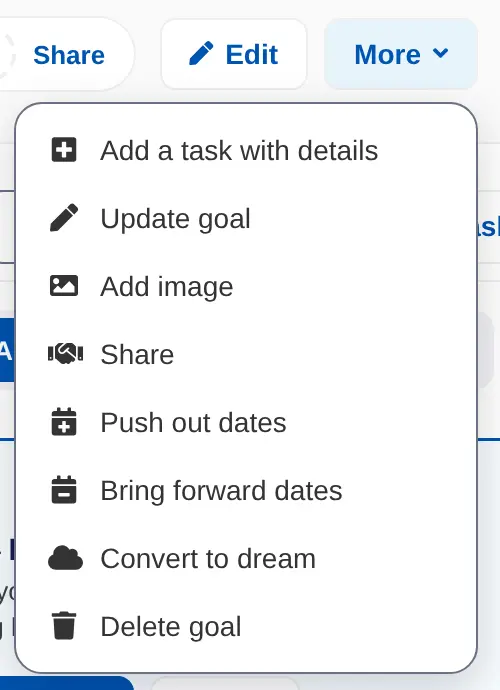
- Open More. Choose More, then Push out dates to move dates later, or Bring forward dates to move them earlier.
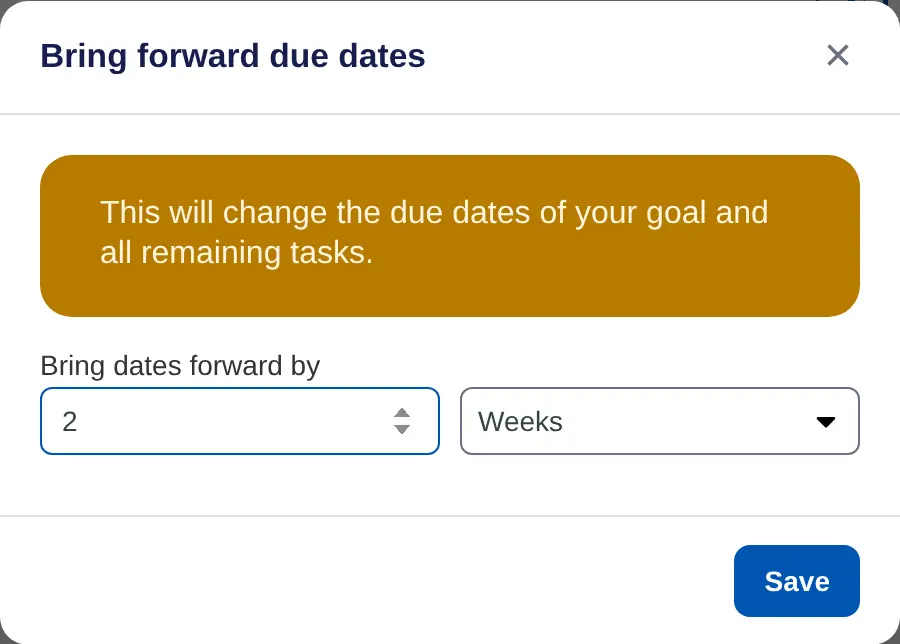
- Choose how far. Enter a number and pick Days, Weeks, Months or Years. It starts at 1 month.
- Save. Choose Save.
What moves
- The goal's due date.
- Every task that isn't done yet.
Completed tasks keep their dates.
To change one task only, choose ••• next to it and change its Due date: instead.
On iPhone, open the goal, tap •••, then Push out dates or Bring dates forward. Choose the amount and unit, then tap Move. These only show when the goal has a due date.
