What happens when the trial ends
A new team gets 14 days free with everything on. Add a card before it ends and billing starts then. Without one, the team closes after a 14 day grace period.
Every new team account starts with a free trial of 14 days. Everything works during the trial, for everyone you invite.
Keep your team going
You can add a card at any time during the trial. You won't be charged until the trial ends.
- Open Billing. In the menu under your organisation's name, choose Billing.
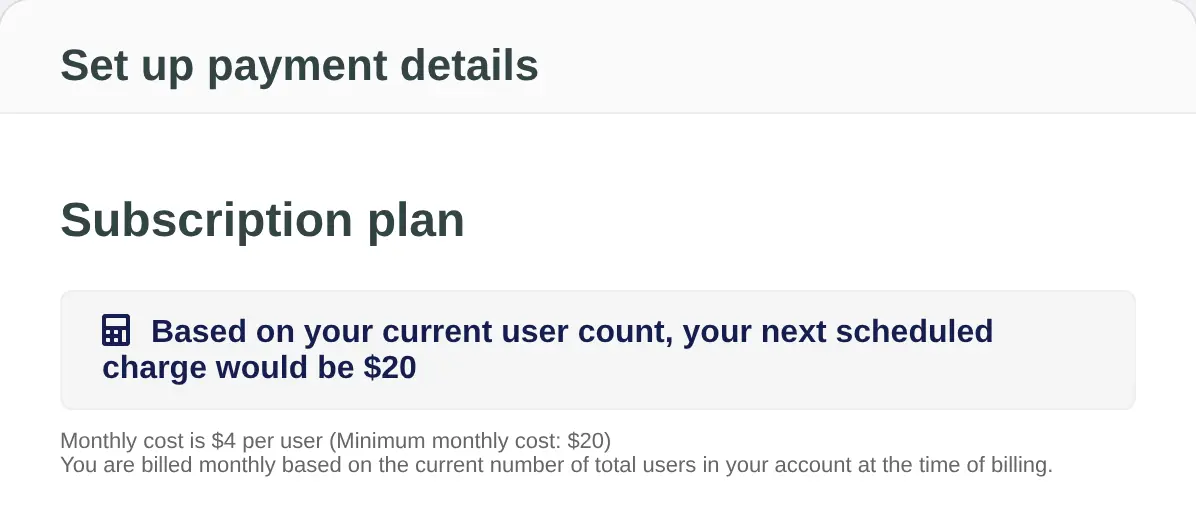
- Choose Add Credit Card. The Set up payment details page shows what your first charge would be, based on your current number of people.
- Enter your card and billing address. Fill in Name on card, Credit card number, Expiry month, Expiry year and Security Code (CVC), then the Billing address.
- Choose Purchase. Your card is saved. The first monthly payment is taken when the trial ends, then once a month after that.
If you don't add a card
- Your team keeps working for 14 more days. This is a grace period, and owners get an email about it.
- After the grace period, the team account closes. Each person who has signed in keeps their own Lifetick account as a personal account. People who never signed in are removed. The organisation and its team data, such as check-ins, are deleted.
To keep your team, add a card before the grace period runs out.
If you're a team member
You don't need to do anything. Billing is handled by your organisation's owners. If your team closes, your own account gets a free 14 day Premium trial, then moves to the Free plan unless you upgrade. If you already had your own Premium subscription, it carries on instead.
