Change your email or name
Update your first and last name on the web or iPhone. Change your email address on the web or iPhone with a code sent to the new address.
Your name is what Lifetick and your team see. Your email address is how you sign in and where Lifetick sends emails.
Change your name on the web
- Open Settings. Choose the account menu at the top right, such as Riley's account, then Settings.
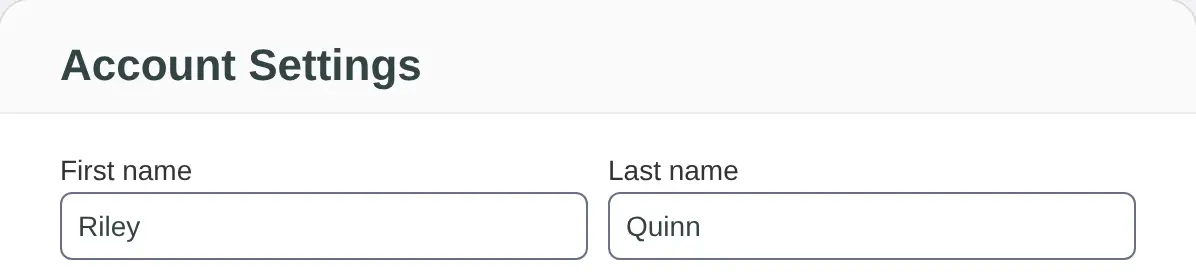
- Edit your name. Change First name and Last name. Both are needed.
- Save. Choose Update.
Change your name on iPhone
Go to Home, tap Settings, then My account. Edit First name and Last name under Your details, then tap Save.
Change your email address
Lifetick checks the new address before it switches over, by sending it a code.
On the web
- Open Settings. Choose the account menu at the top right, then Settings.
- Choose Change email. It's next to your Email address.
- Enter the new address. Type it under New email and choose Send code.
- Enter the code. Type the code from the email under Security code and choose Confirm.
On iPhone
- Open My account. In the iPhone app, go to Home, tap Settings, then My account.
- Choose Change email address. It's under Sign in.
- Enter the new address. Type it under New email address and tap Send code.
- Enter the code. An email called "Next step to change your Lifetick email address" goes to the new address. Type the code under Verification code and tap Confirm.
Nothing changes until you confirm. From then on, sign in with the new address. If the code doesn't come, check your spam folder or tap Send the code again.
The new address can't already belong to another Lifetick account. If it does, you'll see "Sorry, that email address is already associated with another Lifetick account."
If you sign in with Google, Microsoft or Apple
Your Lifetick email is the one from that account, so Lifetick doesn't offer to change it, on the web or on iPhone. Your name can still be changed as above.
