What mentors can and can't see
Teachers and mentors see their own students' goals, tasks and reflection answers. Journal notes, trackers and private goals stay with the student.
Lifetick is built so a mentor can support a student without reading everything they write. Students can check this for themselves: on their Dashboard, the card about their teacher has a link such as What Dana can see.
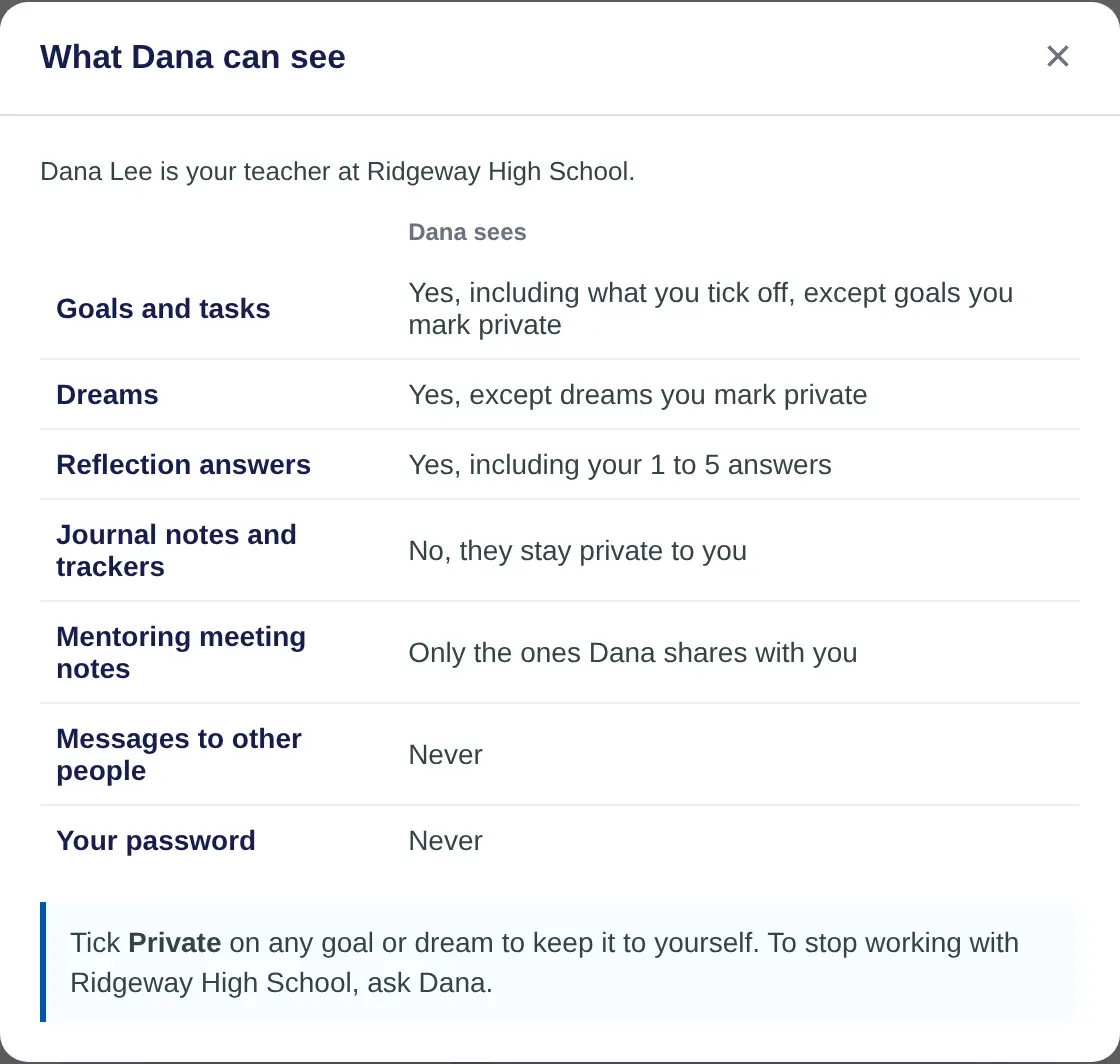
What a mentor sees
For the students who report to them:
- Goals and tasks. Including what they tick off, except goals the student marks private.
- Dreams.
- Reflection answers. Every answer, including the 1 to 5 scale.
- Activity. Tasks done and goals added or changed, on goals that aren't private.
- Reports. Progress on shared goals only.
- Messages. Their own conversation with the student.
What a mentor doesn't see
- Journal notes and trackers. They stay private to the student.
- Private goals. A private goal and its tasks stay out of the mentor's lists, reports and meetings. See Keep a goal private.
- Mentoring meeting notes, unless the mentor shares them with the student.
- Messages to other people, and the student's password. Never.
Who else can see a student
- Other teachers can't, unless the student reports to them.
- A teacher with extra people also sees the students an admin chose for them.
- Super teachers and admins can open any student in the school.
- Reflection answers go to the student's own teacher. On the Reflections page, admins see how many answered, not the answers.
- The Progress report shows totals and trends. Journal text, reflection answers and private goals are never included.
- Data export. Admins can download goals and tasks, and journal activity, for everyone in the school. Private goals and their activity are left out.
Other students never see each other's goals or answers, unless a student shares a goal with someone.
Marking a goal private
On the web, the student opens the goal, chooses Edit and ticks Keep this goal private from my teacher. Your school may use another word, such as mentor. On iPhone there's no private option, so this is done on the web.
