Quick start: pilot with a mentor group
Try Lifetick with one mentor group before the whole school. Set up a school account, make a group, invite its students and send a weekly reflection.
A pilot with one group of students is the easiest way to see how Lifetick fits your school. The school account is free for 14 days with no card, and you can add more teachers and students later on the same account.
Set up the school account
- Sign up as a school. On lifetick.com, choose Start free, then For my team. Under What kind of organisation?, choose School, then sign up with Google, Microsoft or your work email.
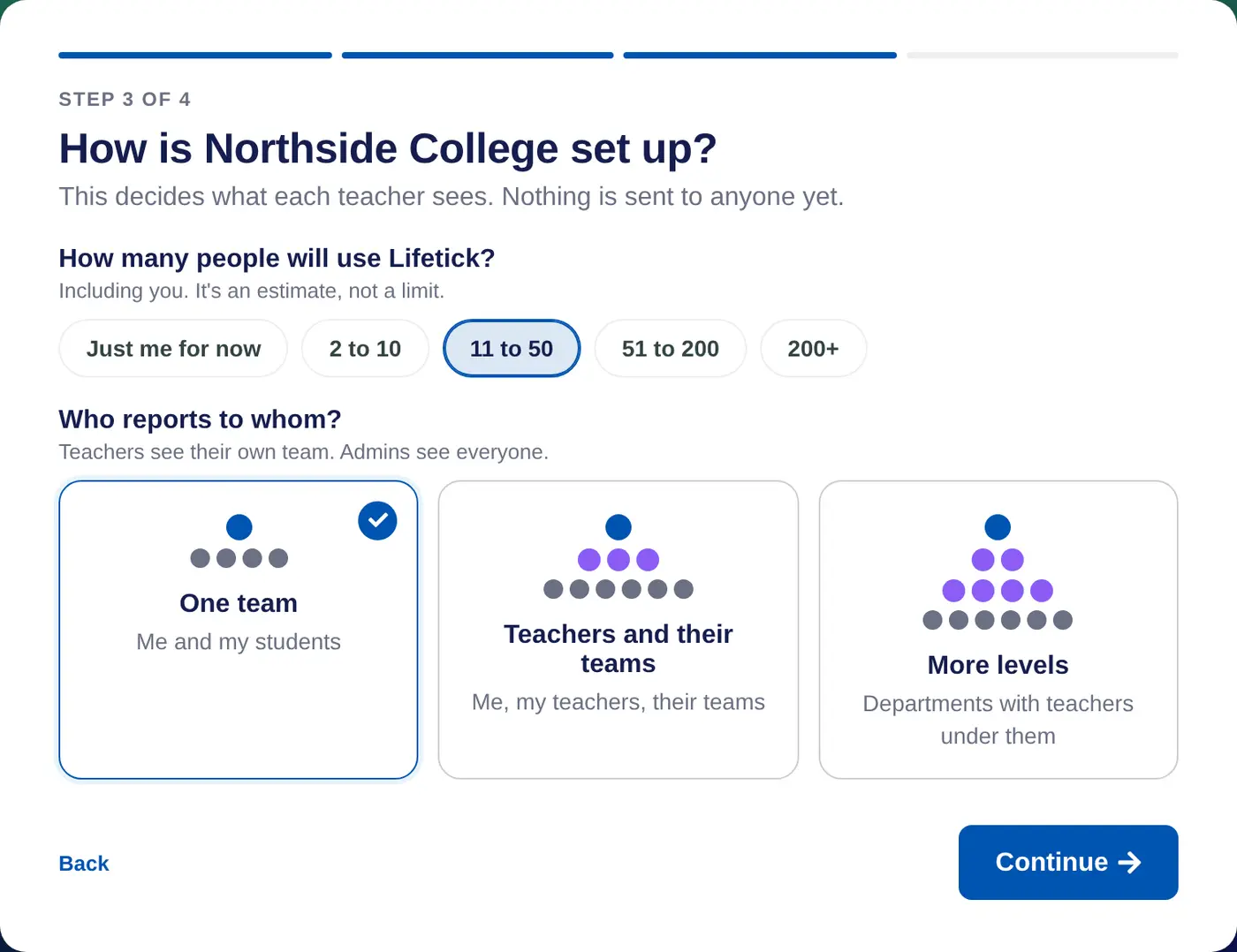
- Choose A school or class. Enter your school's name and choose A school or class. You're a Teacher, they're Students, and check-ins are called reflections.
- Keep it to one group. For a pilot, choose One team (Me and my students). You can change this later with Change your answers.
- Start now. Choose Set up my team now, then Go to your school.
If your school says mentor rather than teacher, open Branding and words, and under Words set People who lead to Mentor.
Make the group and invite its students
- Make the group. Go to Students, choose Manage my groups, then Add group. Name it, such as "Year 9 mentor group", and choose Save.
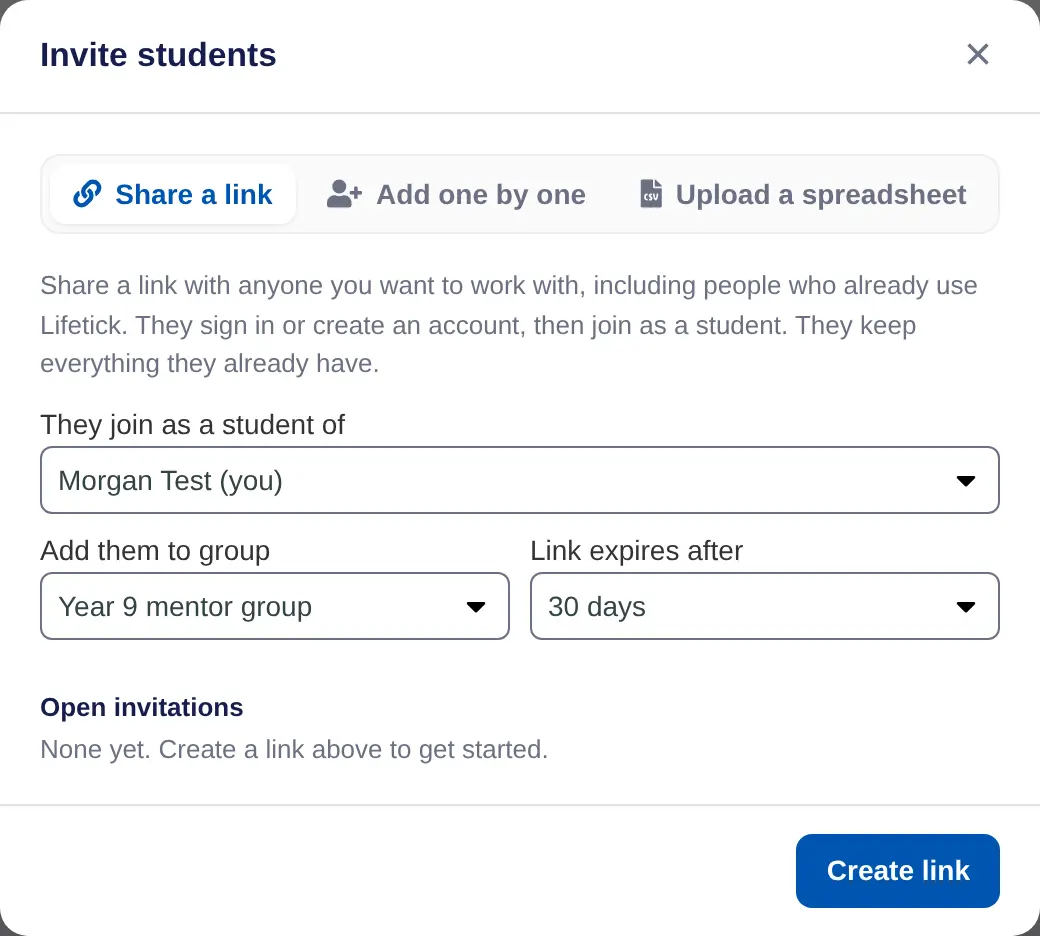
- Create the invite link. Choose Invite. On Share a link, leave They join as a student of set to you, set Add them to group to your new group, and choose Create link.
- Send it to the students. Paste the link into an email or your school's messaging. Students sign in or create an account, and land in your group. Students who already use Lifetick keep their goals.
Send a weekly reflection
- Open Reflections. On the Set up page, choose Choose on School reflection.
- Pick Weekly reflection. Under Start from a template, it goes out Every Friday, 2:00 pm with four questions, starting with "How did this week go?". Change the questions or time if you like, then save it.
In a pilot, everyone at the school is your group, so the reflection reaches just them.
What happens next
- Students answer on the web or in the Lifetick iPhone app. Each one gets an email, and a reminder a day later if they haven't answered.
- Their answers come to you on Today. Reply, or mark them done.
- You see your students' goals and journal, except anything they mark Private. See What mentors can and can't see.
- When the pilot works, add more teachers from People and invites, and choose a plan from Billing before the trial ends.
